A date and time stamp can be added to the Subject field of Reports sent via Subscriptions or the Send by Email option. This functionality clearly indicates when the report was generated, helping recipients track, organize, and manage reports more effectively.
How It Works
When the Append email timestamp setting is enabled, a server-side Date/Time stamp is automatically added to the email subject.
This applies to reports delivered through both Subscription and Send by Email.
Configuration
The Append email timestamp setting must be enabled through a database configuration.
Note: To implement this functionality, contact PSA Support to discuss your specific business requirements.
Benefits
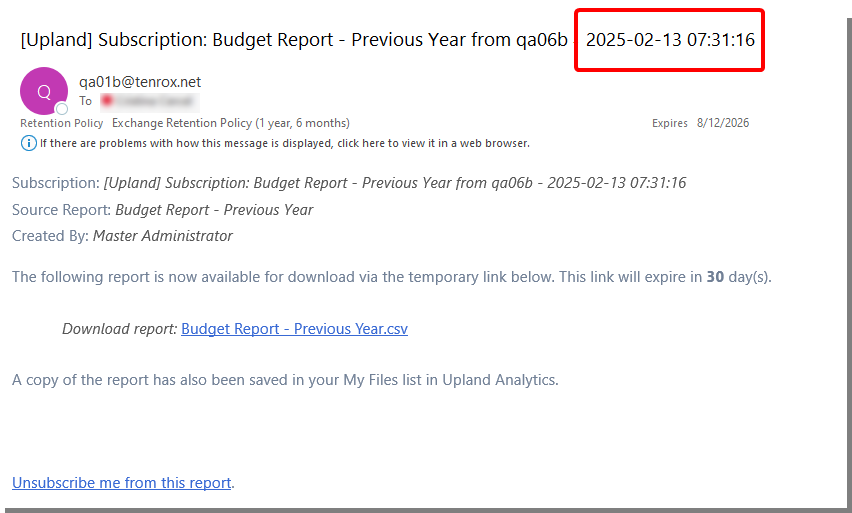
- Recipients can immediately see the exact date and time a report was generated.
- Improves clarity and organization of emailed reports.
- Enhances tracking and management of subscription-based or instantly sent reports.
Note: A future update will provide a user interface setting to manage this feature directly.