Working with the active company
Work with your customer success manager to set up your company in Mobile Commons.
As an administrator, you may have access to do the following:
Editing your company settings
As an administrator, you have access to change some company settings.
-
On the right side of the title bar, select your profile picture.
-
Select Configure Company.
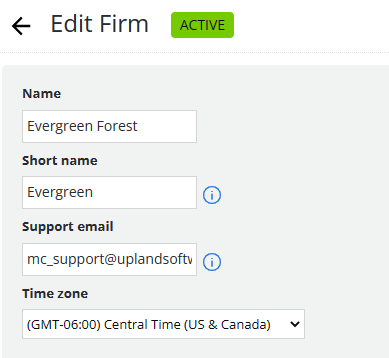
The Edit Firm page opens.
-
In the Name field, edit the company name that appears in the title bar.
-
In the Short name field, edit the name to use in drop-down lists and in reporting.
-
In the Support email address field, edit the address included in the response message when users text HELP for further information.
Tip: As a best practice, use the email address for your Technical Support team.
-
To change the time zone for your company, select a time zone from the drop-down list.
For more information on company settings, see Enabling multifactor authentication (MFA) and Setting up quiet hours.
-
When you are done, select Update.
Changing the active company
As an administrator, you may have access to campaigns and profile data for more than one company in Mobile Commons. The name of the current, active company is located on the left side of the title bar, next to  Menu:
Menu:

To work with another company:
- Select the company name and then select a new company from the drop-down list.