The Financial Planner Note Mention Notification is a system-generated Notification that alerts users when they are mentioned in a Comment on Financial Planner.
This notification enhances communication and collaboration by ensuring you are promptly alerted when mentioned in a Financial Planner Note. This feature helps streamline financial planning discussions and keeps all relevant stakeholders informed in real time.
- Enables users to tag relevant stakeholders (e.g., project managers, alternate managers, finance teams) for quick clarifications.
- Reduces the need for separate email chains by keeping all financial planning discussions within the system.
- Saves time spent searching for the right contact person or following up manually.
You can configure it from the System Notifications page (Setup > Notifications). for further details on how to customize a notification refer to Editing | Customizing a System Notification.
When a user is mentioned using the "@" symbol in a Financial Planner Note, an email is sent to the mentioned user, along with a notification in the Notification Center  , keeping them informed within the application.
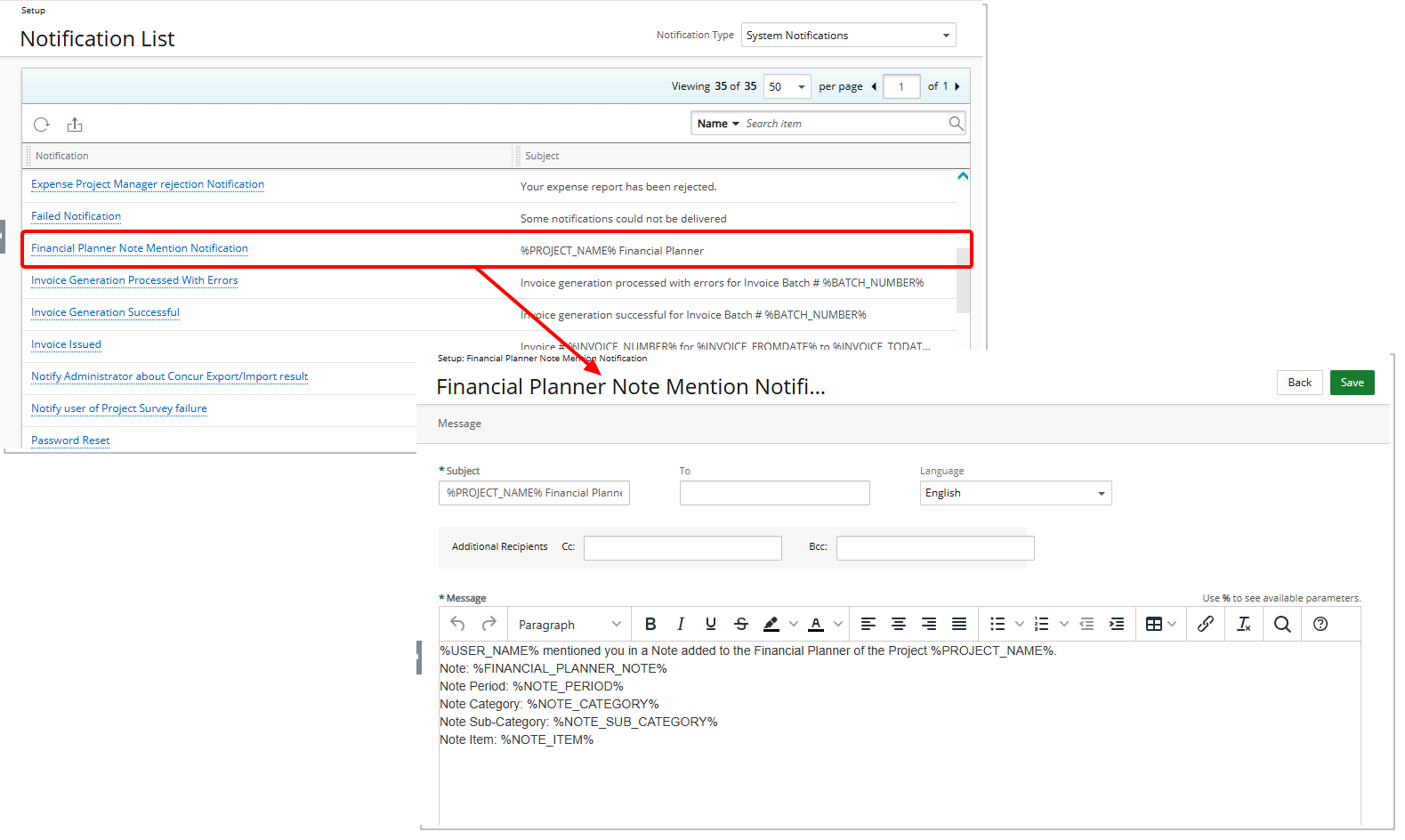
Notification Details
Notification name: Financial Planner Note Mention Notification
%USER_NAME% (Recipient)%PROJECT_NAME% Financial PlannerMessage Content:
%USER_NAME% mentioned you in a Note added to the Financial Planner of the Project %PROJECT_NAME%.
Note: %FINANCIAL_PLANNER_NOTE%
Note Period: %NOTE_PERIOD%
Note Category: %NOTE_CATEGORY%
Note Sub-Category: %NOTE_SUB_CATEGORY%
Note Item: %NOTE_ITEM%
Field Descriptions
%FINANCIAL_PLANNER_NOTE% – Displays the Comment or Message added to the Financial Planner Note, mentioning the recipient..
%NOTE_PERIOD% – Displays the date range or period that the Financial Planner Note applies to, such as a specific month, quarter, or fiscal year.
%NOTE_CATEGORY% – Displays the Note Category.
%NOTE_SUB_CATEGORY% – Displays the Note Category Sub-Category.
%NOTE_ITEM% – Displays the specific charge, product, expense, or other financial planning item to which the note relates.
Tip: For a complete list of available Parameters, refer to Notification Parameters.