The Setup Projects list has been converted to a View called “All Projects” within the Project List.
All Projects View provides a list of all available Projects when scoping is not applied. Once scoping is applied, the View will include:
- Projects where you are the Project Manager, or
- Projects that have no scope, or
- Projects with Shared scope
This article details how to view all your Projects previously accessible from the Setup Projects list from the All Projects View within the Project List.
Note: The All Projects is only available to users who have been granted the access right to the Project List with All Projects View Component (Setup > Organization > System > Security > Security Profile > Management > Central).
- From the Icon Bar click Project List
 .
. - Click the expand arrow on the right of the current View name.
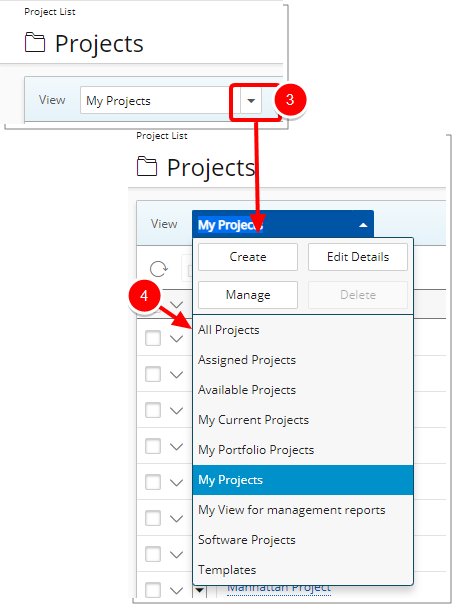
- From the list of Views select All Projects.
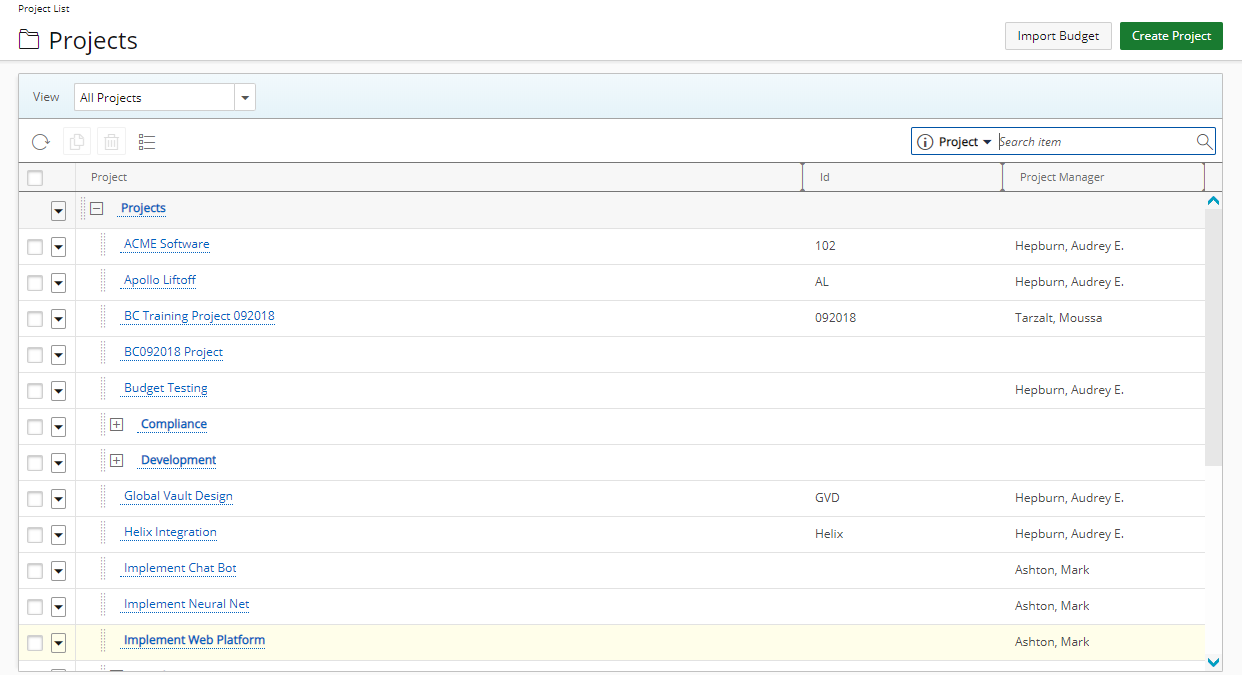
- The page will be refreshed to show the All Projects View including:
- Projects where you are the Project Manager, or
- Projects that have no scope, or
- Projects with Shared scope
Tip: For more information on How to view the All Projects view as a hierarchy click here.