Search for Placeholder Projects in Project List
You can quickly perform searches to find Placeholder Projects within the Project List when in Display Hierarchy View.
This functionality allows you to search for Placeholder Projects, eliminating the need to go through a lengthy list of items in order to access a specific one.
Example: Audrey is looking for a Placeholder Project to edit. She can now simply search for it using the contains in logic Search capability within the Project list.
This article details how to search for Placeholder Projects in the Project List using Display Hierarchy View, helping users quickly locate specific projects without scrolling through long lists.
- From the Icon Bar click Project List
 .
. - From the Project List page, select the Project you wish to edit by following one of these steps:
- Click the Project context menu button
 to expand it. From the available options click Edit.
OR - Click the name of the Project you wish to access.
Tip: Use the search capability for an efficient way of finding the specific project. For further details refer to Searching for a Project within the Project List page.
- Click the Project context menu button
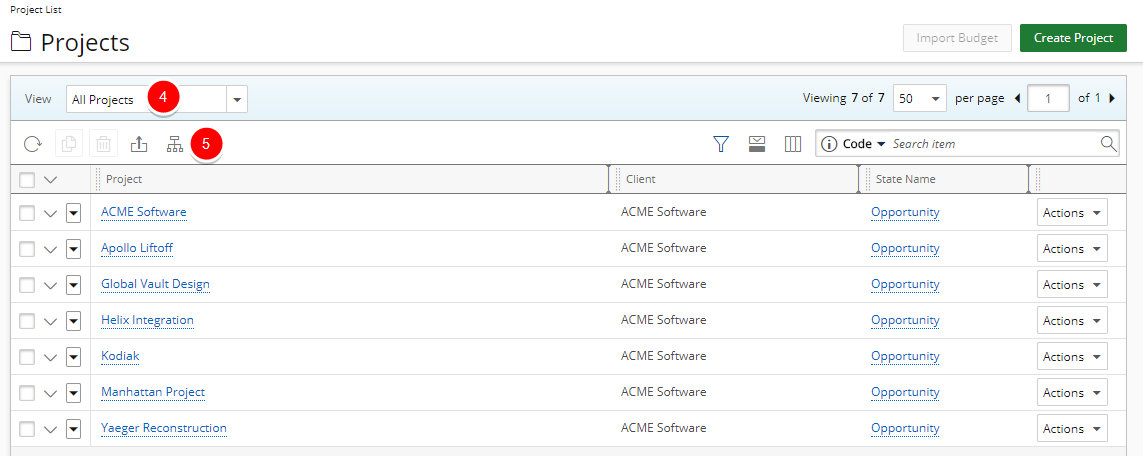
- Click the expand arrow on the right of the current View name.
- Select the All Projects View from the list of available Views.
Note: Hierarchy
 and List
  options are only available for All Projects view.
 - Click Hierarchy button to toggle between the Display List or Display Hierarchy .
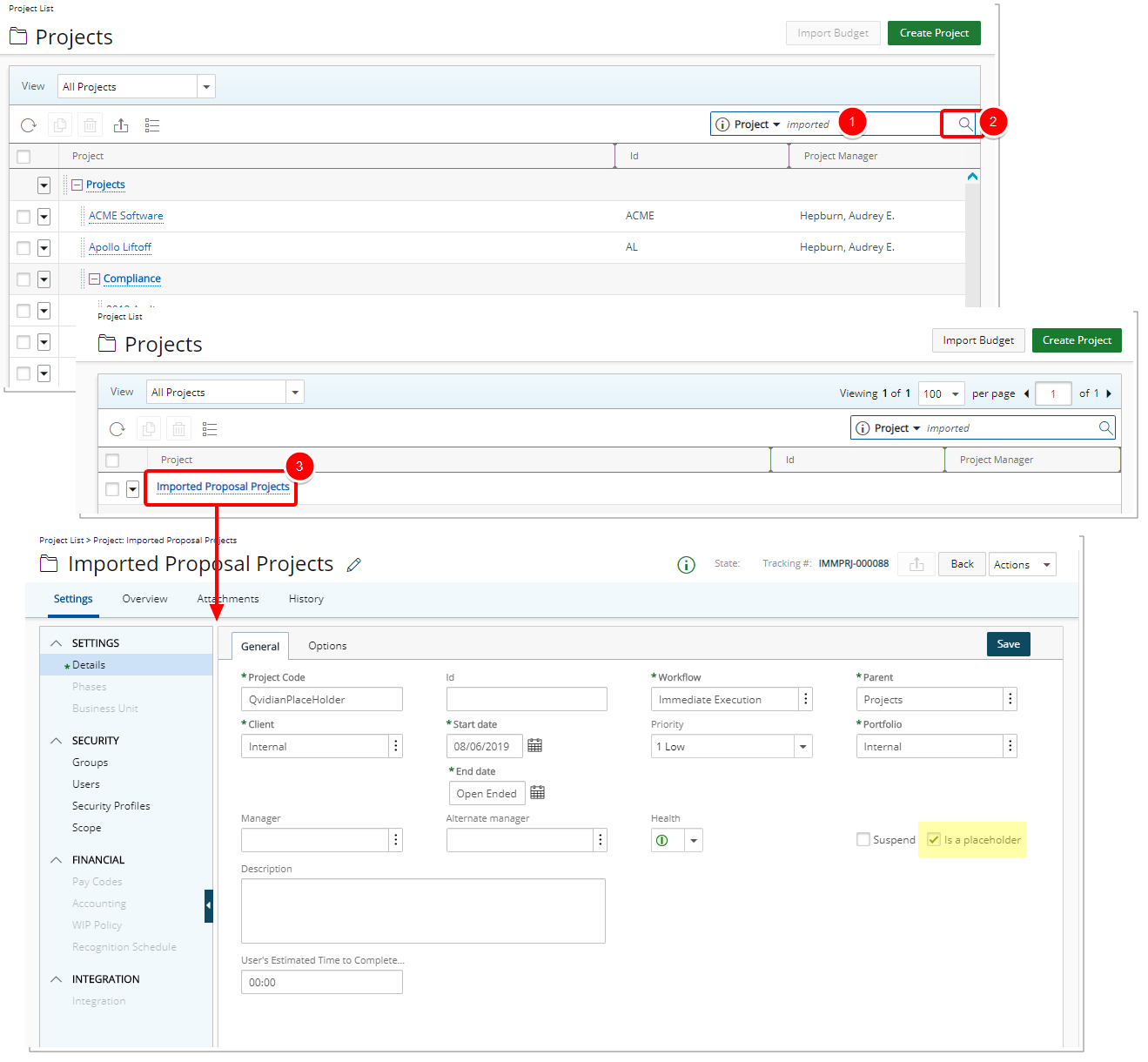
- Enter the partial or full Name of the Placeholder Project you are looking for in the search box.
- Click the Search
 button.
 - Upon the search results displaying, you can click the name of the Placeholder Project to access the Project Edit page.
Note:
- Within the Hierarchy View the Project ID and Project Manager columns display, however the Filter, Column Selection and Expanded Row Column Selection buttons are no longer accessible
- By default there is a limit of 100 rows displayed in the Hierarchy display for All Projects View.
Tip: If you are interested in increasing the number of rows displayed in the Project List Hierarchy view, contact PSA Support to discuss your specific business requirements.