The Project End Date Reminder (Automation Service) is a system-generated email that alerts Project Managers when they are mentioned in a Project Note.
You can configure this notification from the System Notifications page (Setup > Notifications). for further details on how to customize a notification refer to Editing | Customizing a System Notification.
The Project End Date Reminder System Notification is processed through the new Project End Date Reminder Notifications Automation Processing Service. This service ensures that reminders are sent automatically based on your configured schedule.
When the process runs, the Project Manager will receive the notification by email and also see an alert in the Notification Center  .
.
Note: If the Project Manager is marked as Out of Office in PSA, the notification is sent to the Alternate Project Manager instead.
This article details how the Project End Date Reminder (Automation Service) automatically notifies Project Managers when a project’s end date is approaching. Configure the notification schedule, recipients, and message content through the System Notifications setup to ensure timely project oversight and follow-up.
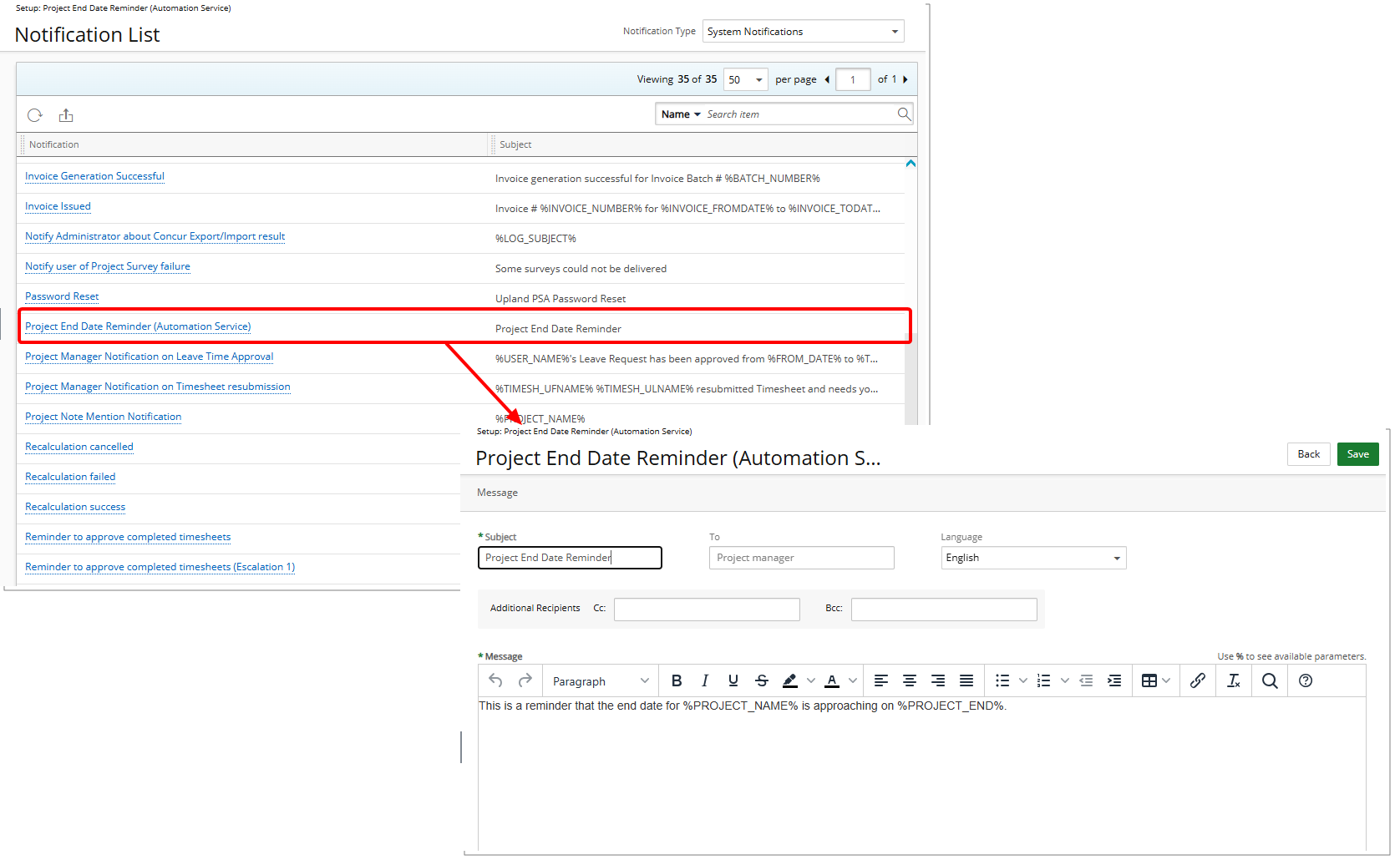
Notification Details
Notification Name: Project End Date Reminder (Automation Service)
To: Project manager
Subject: Project End Date Reminder
Message Content:
The Message body reads: This is a reminder that the end date for %PROJECT_NAME% is approaching on %PROJECT_END%.
Field Descriptions
%PROJECT_NAME%- Name of the Project.%PROJECT_MANAGER_NAME%- Name of the Project Manager.%ALTERNATE_PROJECT_MANAGER%- Name of the Alternate Project Manager.%PROJECT_END%- End Date of the Project.
Tip: For a complete list of available Parameters, refer to Notification Parameters.