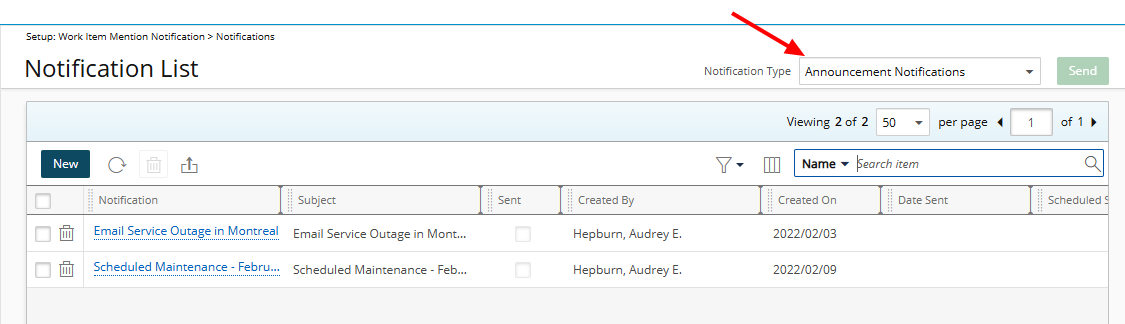
Announcement Notifications are managed from a centralized location: Setup > Notifications. By selecting Announcement Notifications as the notification type, you will access a dedicated page where you can create, edit, delete, and configure your announcements.
When creating an announcement, choose how you want it delivered to your users. You can send it by email (default), display it in the application, or select both to ensure maximum visibility.
- Email notifications are sent directly to the targeted recipients’ inboxes.
- In-App notifications appear within the application itself, ensuring users see important updates when they log in.
Using Announcement Notifications helps you effectively communicate events, updates, and critical information to all users—keeping everyone informed and engaged with the latest news and system updates.
Example: The PSA administrator, Allen, wants to inform all employees that system maintenance is scheduled for Friday evening and that service may be temporarily unavailable.
To share this information, Allen creates an Announcement Notification and chooses to deliver it both by email and in the application to ensure all users are informed.
When users log in to PSA, they see an announcement pop-up with the option to Don’t Show Again. They can also view the full message directly within the system. In addition, users receive the same announcement by email, ensuring that everyone is notified and no important updates are missed.
Note: Users will receive Announcement Notifications regardless of their Notification option being selected or not from the General tab of their User Settings page.