This guide details the third-party software, and the respective versions, with whichPSA 2025 R3.1 can integrate with.
Note: This guide is based on PSA version 2025 R3.1 and does not cover or support any previous versions of PSA.
This page may be updated as new information becomes available. Visit this page regularly for the latest updates.
Accounting
This section details the third-party Accounting tools, and the respective versions, with which PSA can integrate with.
Microsoft Dynamics GP
- Dynamics GP 18.8
- Dynamics GP 18.7
Note: Ensure that your ActiveX Control is up to date by verifying it is on version 1.3.30.
SAGE 300
- Sage 300 2026
- Sage 300 2025
QuickBooks Desktop
- 2024 Pro (US & CAN)
- 2023 Pro (US & CAN)
- 2022 Pro (US & CAN)
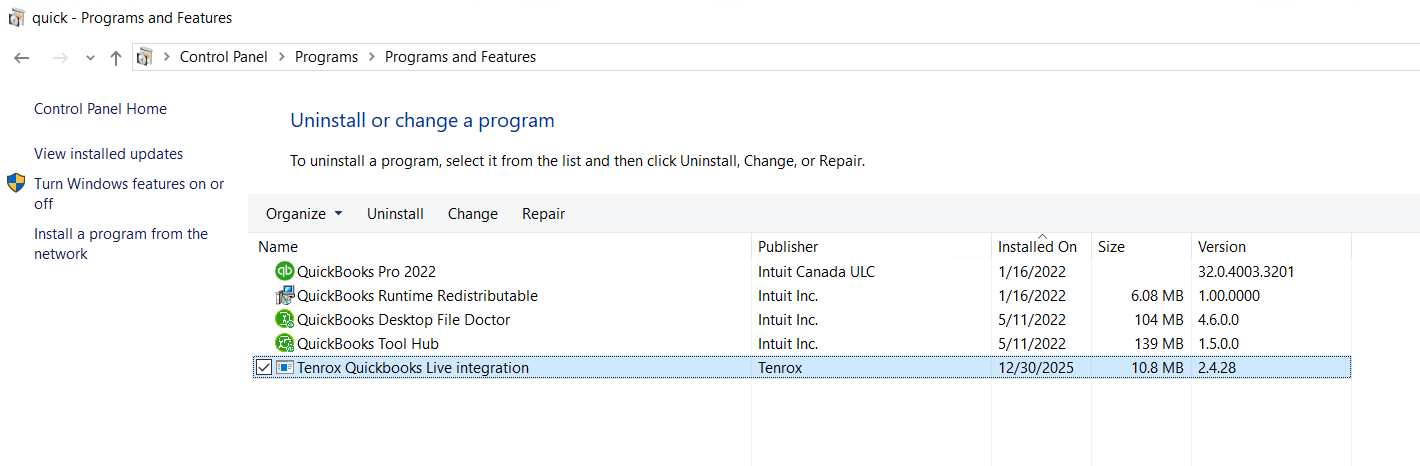
Note: Ensure that your ActiveX Control is up to date by verifying that it is running version 2.4.28.
If you are prompted to upgrade from an earlier version (for example, 2.4.27), it is recommended that you completely uninstall the existing version before installing version 2.4.28 to help prevent upgrade-related issues.
QuickBooks Online
- QuickBooks Online Essentials and Plus (US, Canada)
- QuickBooks Online Advanced
Concur (Online)
- Concur Expense (September 2025)
Agile Project Management
Jira
The Upland PSA Time Tracking app in Jira streamlines your workflow by syncing time tracking data from Jira to PSA. This one-way integration ensures that all recorded time is accurately reflected in PSA, maintaining consistency across platforms and eliminating the need for manual updates.
CRM
This section details the third party CRM tools, and the respective versions, with which PSA can integrate.
Salesforce
- Salesforce Lightning & Classic Winter '26 with API version 64 or earlier
- Salesforce Lightning & Classic Summer '25 with API version 64 or earlier
Note:
To enable the Project Manager field functionality in Salesforce integration, clients must upgrade their Salesforce package from version 1.1 to 1.2. and the Project Manager Field must be included in the Salesforce Project Page Layout.
This action is required for all clients using the Salesforce integration to fully benefit from the enhancement.
The latest package can be installed from the following link: Salesforce version 1.2.
Microsoft Dynamics CRM
Latest Dynamics 365 Online: 2025 release wave 2 enabled
- Server version: 9.2.25112.00171
- Client version: 1.4.11291-2511.2
Note: The Unified Interface is supported.
Single Sign-on (SSO)
The Single Sign-on integration is based on the third-party provider requirements. Therefore, if interested, please contact PSA Support to discuss further.
Collaboration Platform
- Microsoft Teams
For more information visit: