The out-of-the-box User Skill Update Workflow is designed to streamline the process of maintaining accurate and up-to-date User Skills profiles within your organization. This workflow allows users to effortlessly add or update their skills and proficiency levels, ensuring their profiles reflect their current expertise. By creating a User Skill Update Work Item Entry, users can submit their changes for review and approval.
Upon saving and submitting the Entry, it is assigned to the Originator's Approval Manager who will receive an automatic notification they can then Approve or Reject these Skill changes.
This process not only keeps individual profiles current but also ensures that skill updates align with team objectives and resource requirements through a structured approval system.
This article is tailored specifically for administrators, offering comprehensive details to help set up or modify the User Skill Update Workflow settings to meet the unique needs of their organization. It covers:
- Default General Settings
- States, State Attributes, and Respective Assignments
- Workflow Transitions
- Workflow Progression
- Details of the Entry Layout
- Notification
Default General Settings
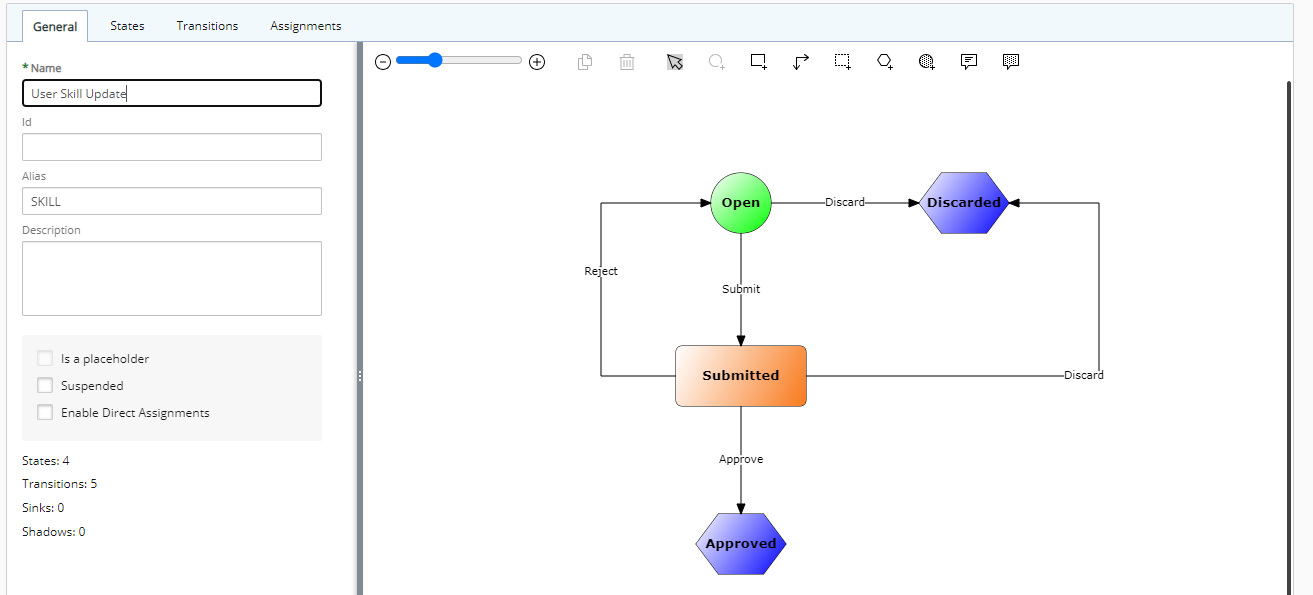
The default General settings of this workflow are defined as follows:
- Name: User Skill Update
- Id: Empty by default
- Alias: SKILL
- Description: Empty by default
- Is Placeholder: (Unchecked and disabled by default)
- Suspended: (Unchecked by default)
- Enable Direct Assignment: (Unchecked by default)
States, State Attributes, and respective Assignments
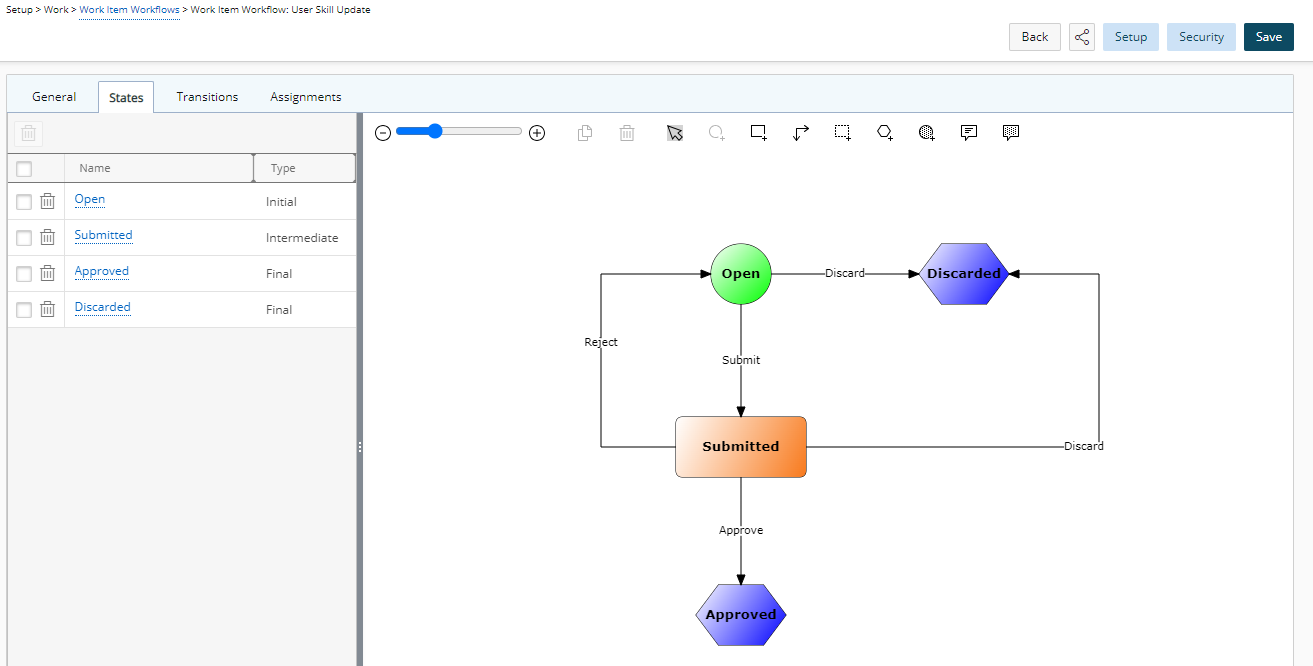
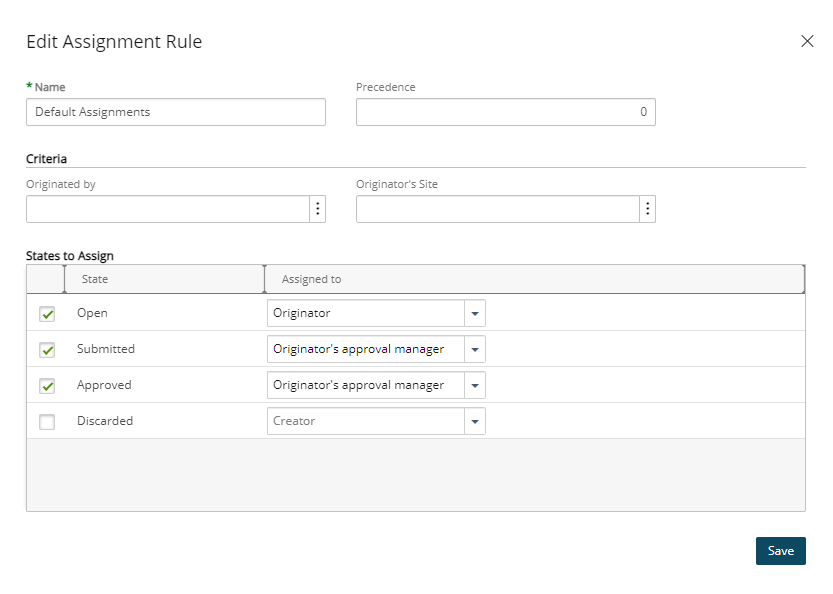
The standard out-of-the-box User Skill Update Workflow has the following States, State Attributes, and respective Assignments.
| State | Type | Attribute | Assignment |
|---|---|---|---|
| Open | Initial | Initial | Originator |
| Submitted | Intermediate | Read Only, Completed | Originator’s approval manager |
| Approved | Final | Final, Read Only | Originator’s approval manager |
| Discarded | Final | Final, Read Only |
Workflow Transitions
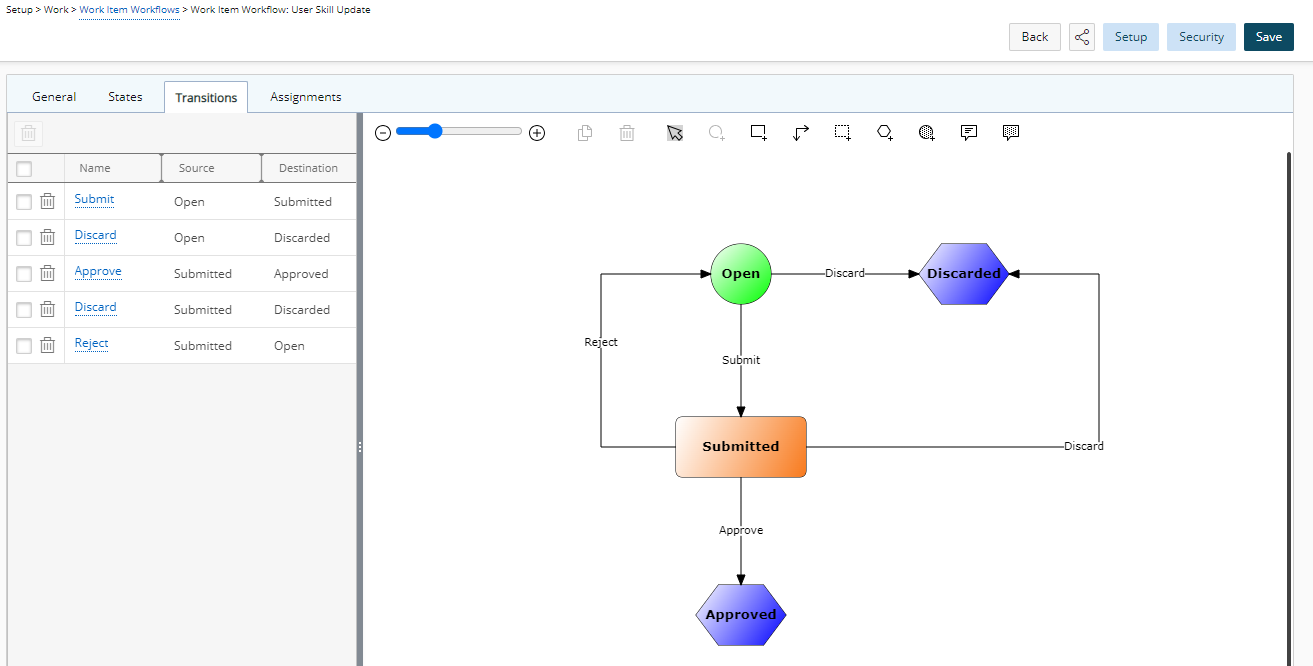
| Transitions | Source | Destination | Attributes |
|---|---|---|---|
| Submit | Open | Submitted | None |
| Discard | Open | Discarded | None |
| Approve | Submitted | Approved | Approval |
| Discard | Submitted | Discarded | None |
| Reject | Submitted | Open | Rejection |
Workflow Progression
The typical workflow progression of the standard out-of-the-box User Skill Update Workflow is:
- A new User Skill Update is opened, and either assigned to user or discarded.
- The user submits the entry which changes the status to Submitted
- The Approval Manager can Approve, Reject or Discard the Entry
- The Post Process Stored Procedure (WORKITEMIUSKILLTRANS) is implemented for the Approve Transition which:
- Can add or modify Skill attributes such as Proficiency, Interest and Expiry Date.
- Can add the entire Skill to Users' Skills.
Details of Entry Layout
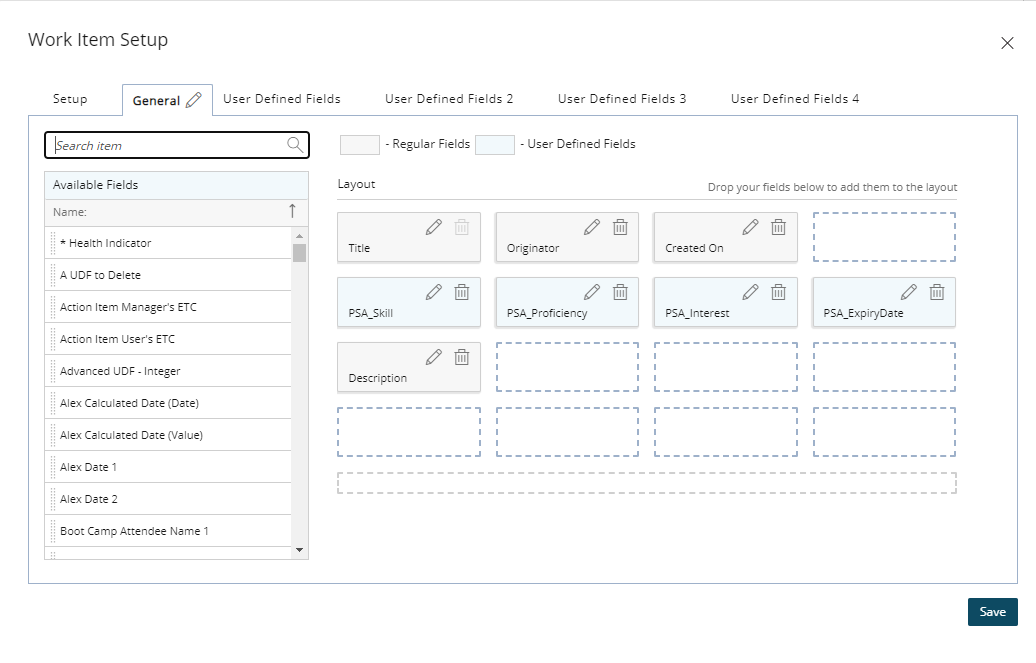
The General tab of Work Item Setup dialog box has the following fields:
- Title: The name Work Item Entry.
- Originator: The person who created the Work Item Entry.
- Created On: The date when the Work Item Entry was created.
- Description: Explanation or additional information about the Work Item Entry.
Notification
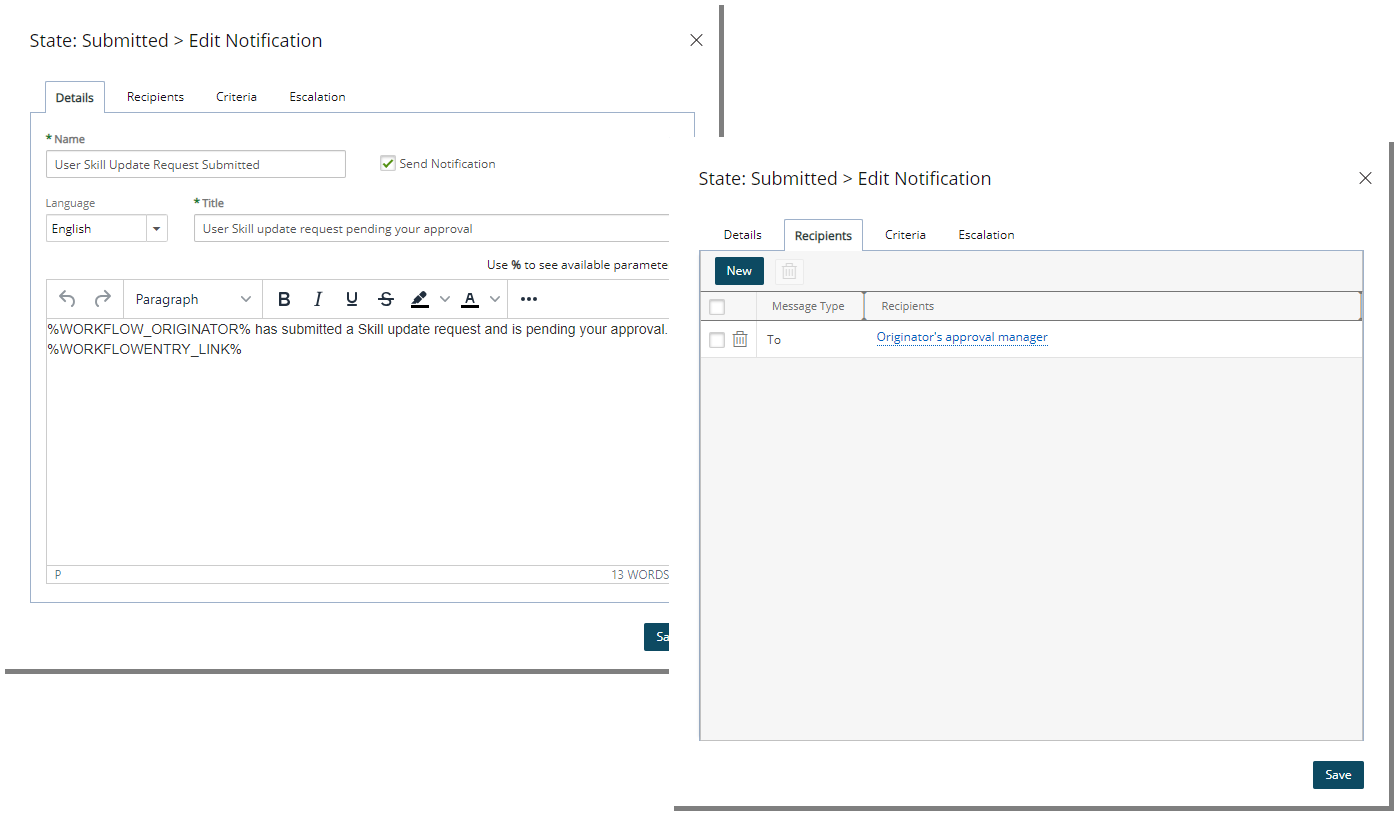
The Submitted State of this Workflow will trigger a Notification where the following details will be sent to the Originator’s Approval Manager:
- Name: User Skill Update Request Submitted
- Send Notification: Checked
- Language: English
- Title: User Skill update request pending your approval
- Message:
%WORKFLOW_ORIGINATOR%has submitted a Skill update request and is pending your approval.%WORKFLOWENTRY_LINK% - Recipients: Originator’s approval manager